Print a real book at home.
Quire turns a PDF or an EPUB into sheets you can print on an ordinary printer, fold, sew or glue, and bind into a book that opens like one. It does the page arithmetic, typesets the text, numbers the pages and tells you, sheet by sheet, what to do next.
Released · 1.2.0 · Windows 10 and 11 · Download
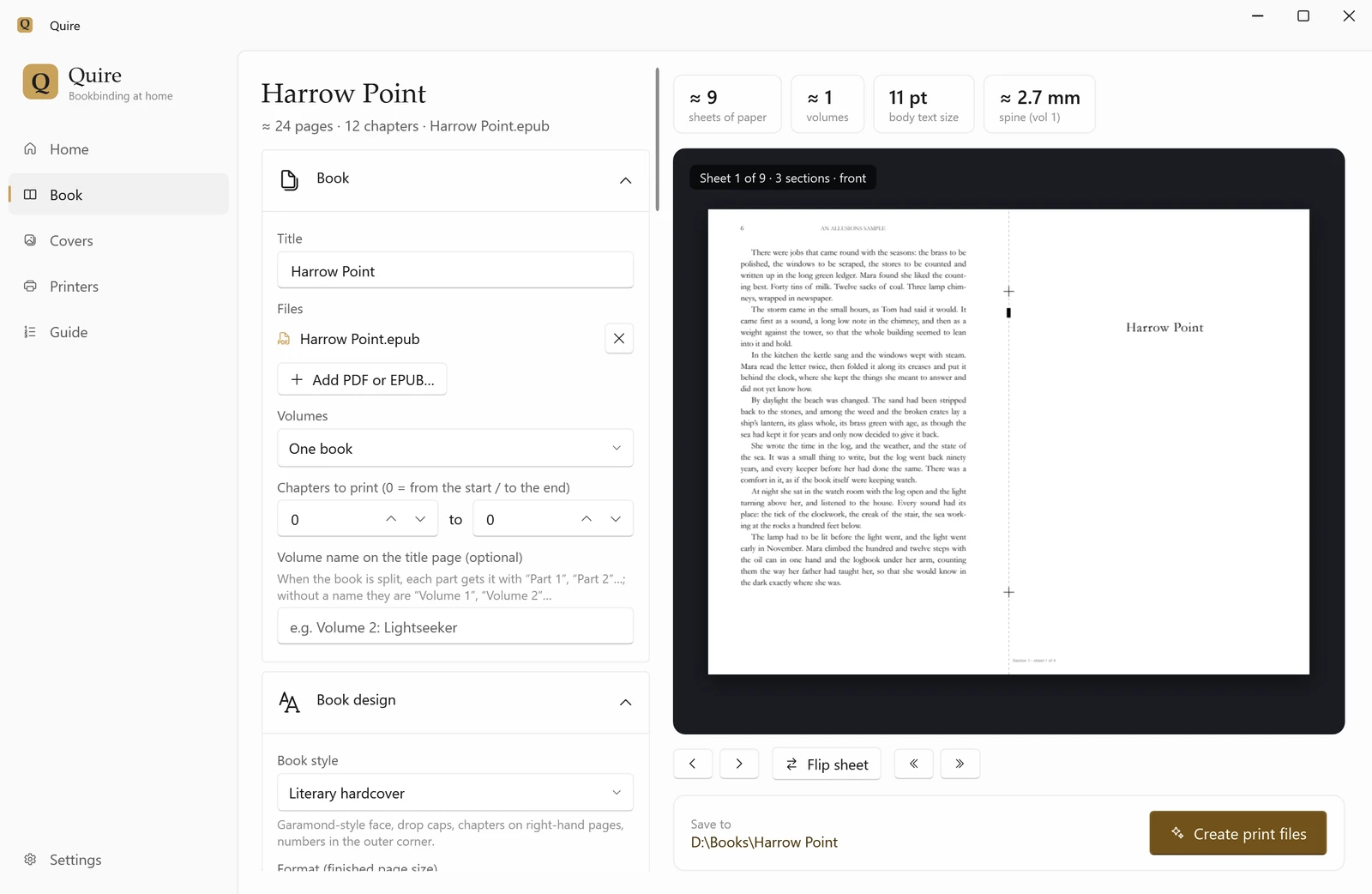
Choose how it will be bound. Quire does the arithmetic.
Fold and sew sections, cut and stack, a one-fold booklet, single sheets, a pocket book four to a side, or Japanese stab binding. Quire puts every page on the right side of the right sheet, compensates for paper creeping outward in a fold, and labels each sheet with its section and place.
The preview shows each side of each sheet exactly as it will print. The guide that comes with the files says which way to feed the paper, how to fold and where to staple or sew.
- Fold & sew sections
- Paperbacks that open flat
- Cut & stack
- Quick glued paperbacks
- Booklet
- Zines and short stories
- Single sheets
- Spiral, comb or glued
- Pocket, 4-up
- Small travel books
- Japanese stab
- One-sided printing, sewn by hand
A typeset book, not a printout.
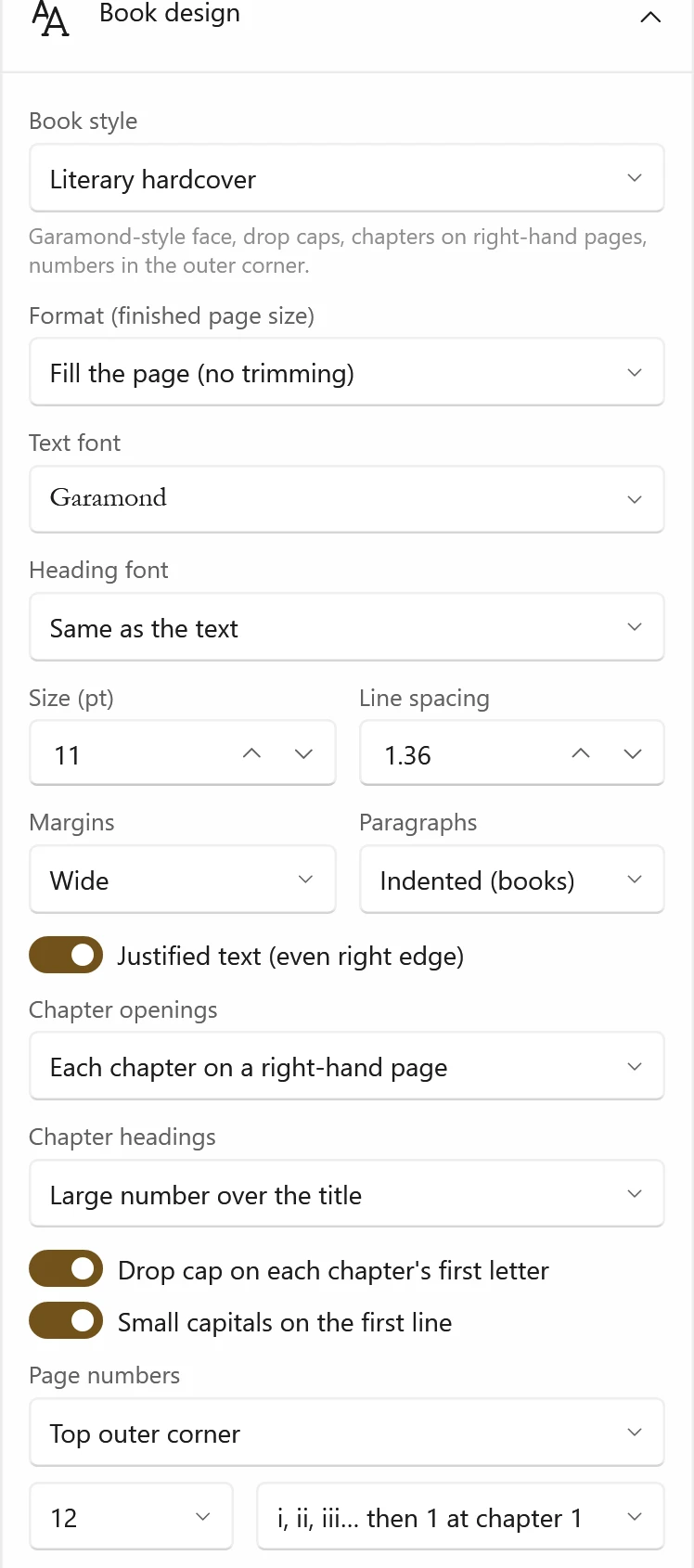
Give Quire an EPUB and it sets the text as a book: a style to start from, a page size from A6 to Royal, the fonts on your PC, chapter openings with drop caps or a large numeral, justified text with real hyphenation.
Page numbers follow book custom: roman numerals in the front matter, 1 at the first chapter, and none on blank, title or chapter-opening pages. Running heads carry the title, the author or the chapter.

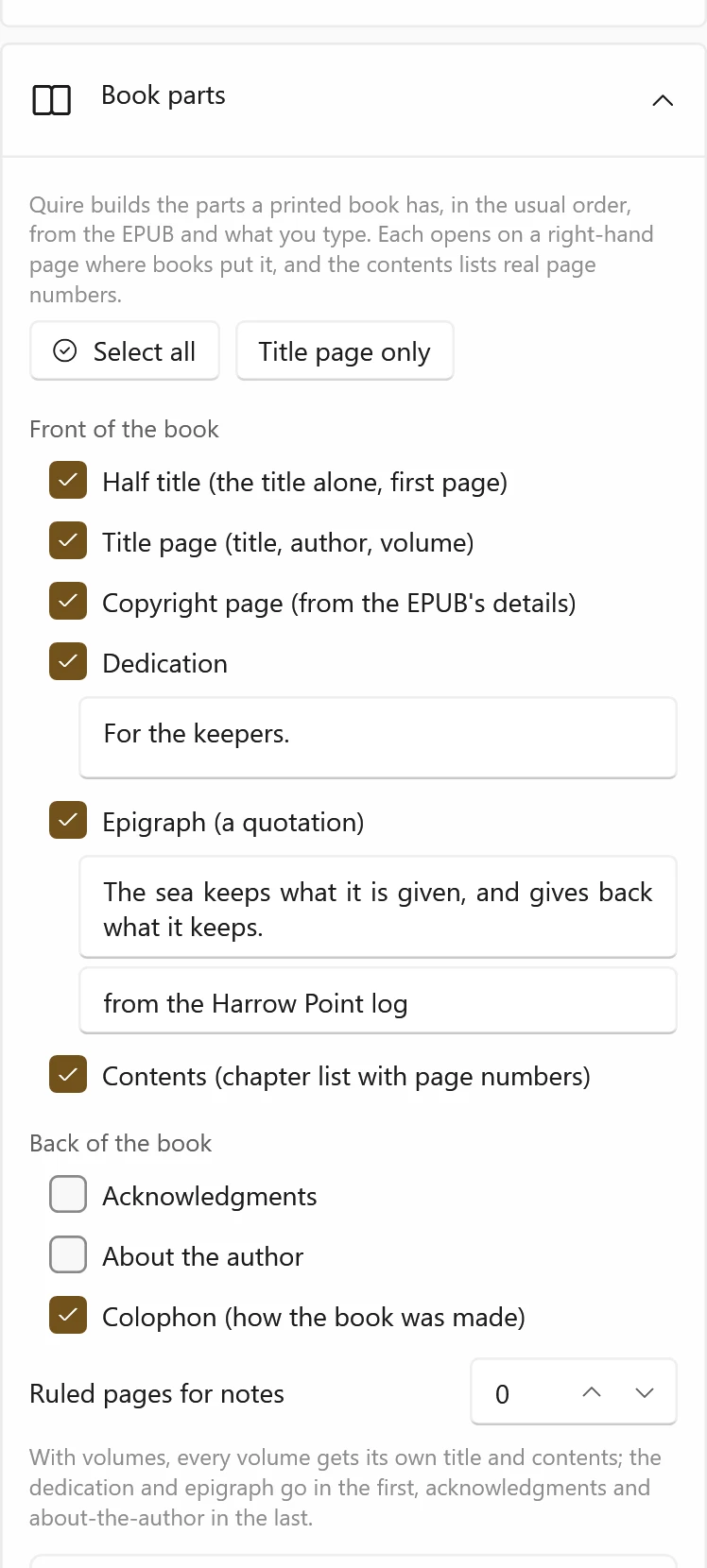
The parts a real book has.
Tick the parts you want and Quire builds them in the usual order: half title, title page, a copyright page filled from the EPUB's details, dedication, epigraph and contents; acknowledgments, about the author, ruled pages for notes and a colophon at the back.
Each part opens on a right-hand page, with blank pages added where a book needs them. The contents lists real page numbers: Quire lays the book out, reads where every chapter landed, and checks again until the numbers stop changing.
Printing a long series? Choose a chapter range and a volume name, or let Quire split the book between chapters by thickness.

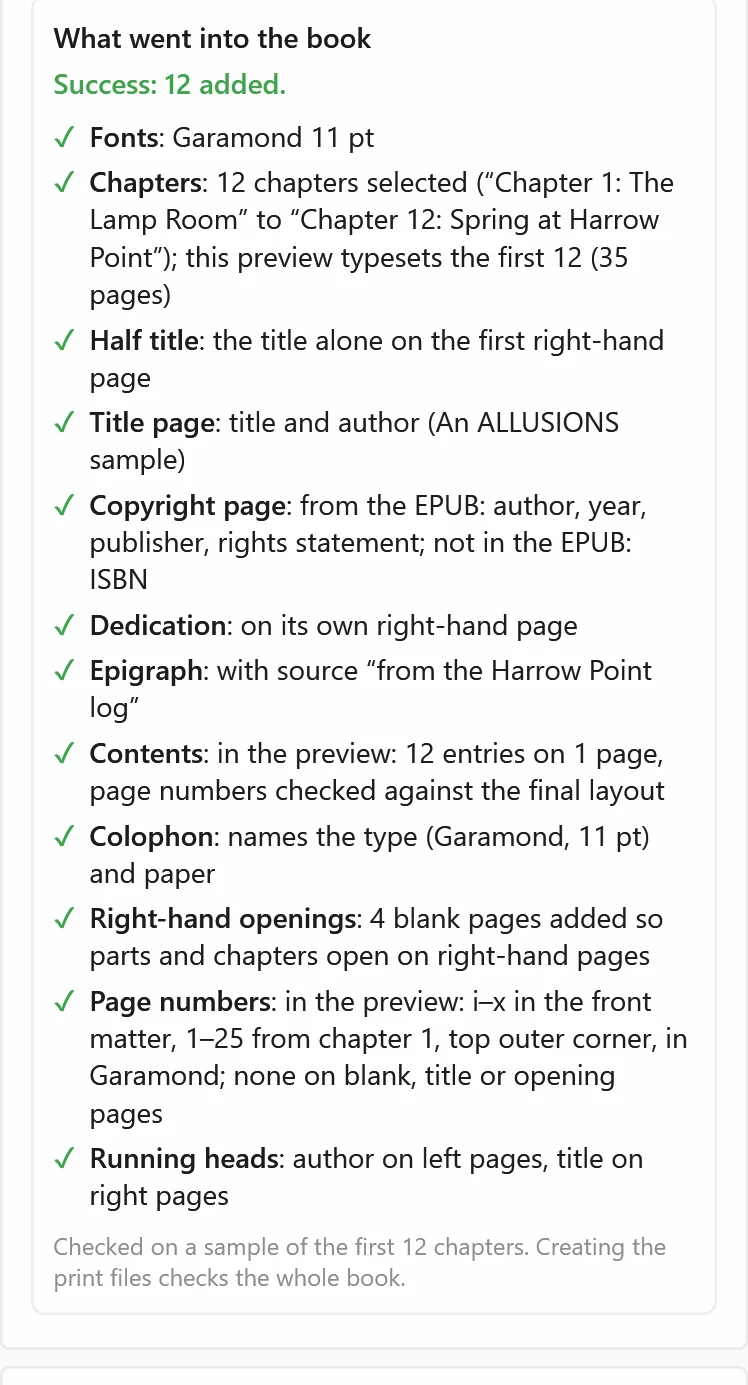
It tells you what went in.
Every part is listed as added, skipped with the reason, flagged with a warning, or failed. If the dedication box is empty, it says so. If the EPUB already has its own table of contents, it warns that the book would have two. If a page size cannot fit the paper, Quire refuses and says why, instead of shrinking the book without telling you.
What it does, and what it does not claim
Does
Imposes PDF and EPUB books for six binding methods, with fold-creep compensation and section labels
Typesets EPUBs with page numbers, running heads, generated front and back matter and a verified contents
Prepares covers sized to the spine, calibration sheets and a printed guide for each job
Checks the printer driver's paper, duplex and flip-edge settings, and stops if the driver's own booklet mode would scramble the pages
Does not claim
That a printed, folded or trimmed book has been verified on paper by its tests; physical printing and binding are checked by hand, not by the release gate
Publisher signing: the download is not code-signed, so Windows asks before it runs
Open source: the application's source is private; the executable is free to download
Download
One file, no installer: save it and double-click it. If Windows says it protected your PC, choose More info, then Run anyway.
- Version
- 1.2.0, released 11 November 2026
- Runs on
- Windows 10 and 11, 64-bit; WebView2, included with Windows 11, for EPUB typesetting
- File
- Quire.exe, 78,086,140 bytes
- SHA-256
- 0bf89e4c6586e4631d7d81934c25cf4d977a2dacba98245e1f4c4069922f00fc